Custom Lookup
Description
Define a custom lookup window for a Textbox or Textarea control using a container window and JavaScript.
When defining a lookup for a textbox or textarea control, you can now define a Custom lookup.
The Custom lookup displays a Window (defined within the UX) containing an arbitrary collection of controls. When the user clicks the Commit button in the window footer, a value (determined by your JavaScript code) is returned to the lookup control.
Configuring a Custom Lookup
Select the Textbox or Textarea control.
In the Properties pane, scroll to the Lookup section.
Set the Lookup type to Custom.
Click the smart field for the Lookup definition property to open the builder.
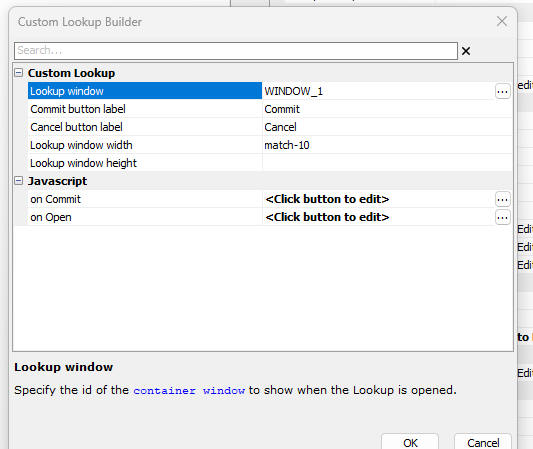 Custom Lookup Builder
Custom Lookup Properties
- Lookup window
The name of the Window container that will be displayed. This window must be defined elsewhere in the UX component.
- Commit button label
The label for the button that commits the selection. This button appears in the window footer.
- Cancel button label
The label for the Cancel button.
- Lookup window width
The width of the window. You can use match to match the width of the lookup control, or expressions like match-10 (lookup width minus 10px).
- Lookup window height
(Optional) The height of the window. If omitted, the window adjusts automatically to fit its contents.
- on Commit
JavaScript code executed when the Commit button is clicked. This code must calculate the value to return and assign it to a variable named result.
Example:
// Example: Get value from a slider control inside the lookup window
var result = {dialog.object}.getValue('slider_1');
- on Open
JavaScript code executed when the lookup window is opened. Use this to initialize controls in the window.
Custom Lookup
In this video we show how you can create a Custom Lookup for a textbox or textarea control.